


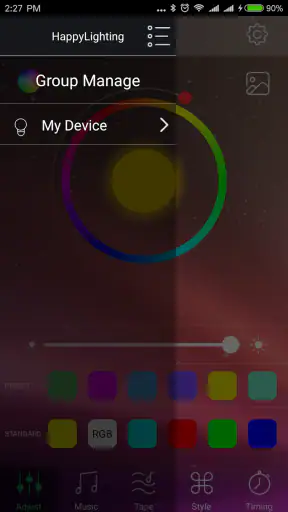
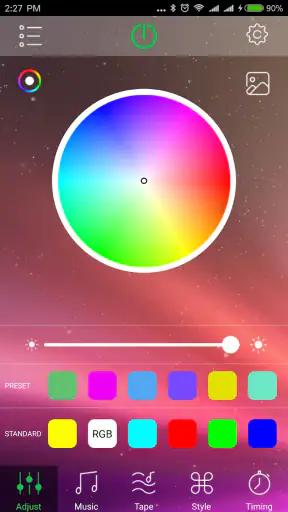
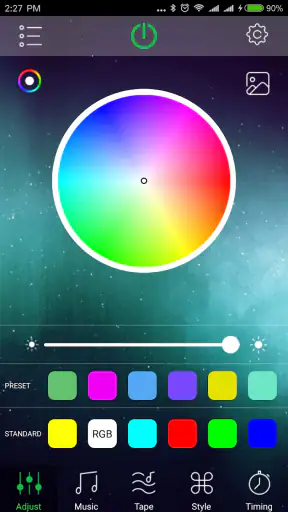
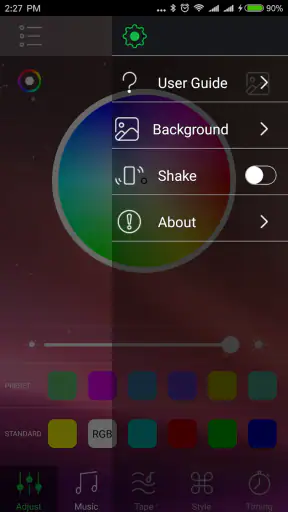
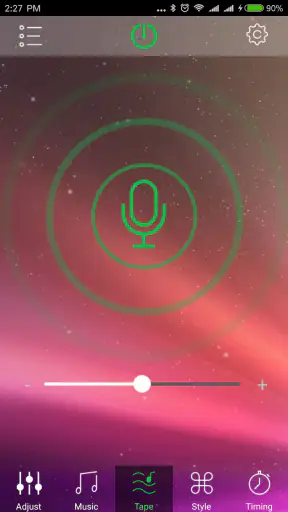
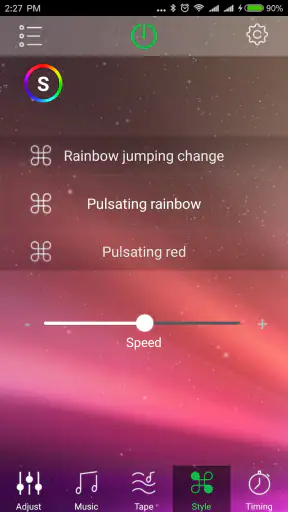
I installed HappyLighting to see whether it could make a Bluetooth lamp easier to live with, rather than simply adding another remote-control app to my phone. Its purpose is straightforward: it controls compatible Bluetooth lighting, sits in the Personalization category, and is available free from qh-tek. That narrow focus is both its biggest strength and its main limitation. If your lamp already works with it, the app can be a convenient bridge between a physical light and everyday phone use. If you want a complete smart-home system, it feels much less convincing.
The first thing I noticed is that HappyLighting is not trying to replace every lighting platform. It is built around lamp control, so the experience makes most sense when you already own a compatible Bluetooth light and want a simple way to adjust it. I would recommend it to someone who wants to experiment with room color, create a more relaxed evening atmosphere, or avoid keeping a small remote control beside the bed. I would not choose it as my first option for a home filled with lights from several brands.
How HappyLighting feels in its current form
The app has a practical, direct character. You open it because you want to change the lamp, not because you want to browse a large ecosystem or manage a complicated collection of connected devices. That makes the learning curve relatively gentle for the right user. The important question is not whether the interface is packed with options, but whether your particular lamp responds reliably through Bluetooth.
That compatibility point deserves attention before installation. A Bluetooth lamp may advertise phone control while still depending on a specific companion app. HappyLighting is useful only when the lamp and software communicate properly. I would keep the lamp nearby during setup, make sure Bluetooth is enabled, and avoid judging the app from a distant room. Bluetooth control is naturally more local than a cloud-based smart-lighting system, so the experience depends on proximity and the condition of the connection.
In daily use, the appeal is convenience. Imagine coming home late, switching on a lamp without searching for its remote, and choosing a softer color while you prepare dinner. Later, you can adjust the room again from the sofa. That is a small improvement, but it is exactly the kind of small improvement that makes a dedicated controller worthwhile. The app does not need to become the center of your home to be useful.
I also found that a phone-based controller changes how you think about the lamp. A physical remote is quick when it is in your hand, but it is easy to misplace. HappyLighting keeps the controls with the device you already carry. The trade-off is that unlocking a phone and opening an app can feel slower than pressing a button. For a bedside lamp, that difference matters more than it would for decorative lighting in a living room.
Its audience is therefore quite specific. It suits renters, students, bedroom users, and anyone with a single compatible Bluetooth lamp who wants more control than an on-and-off switch provides. It is less suitable for people who need voice assistants, remote access while away from home, broad automation, or a unified dashboard for many manufacturers. Those users should compare it with the lamp maker’s official ecosystem or a wider smart-home platform before committing.
What the version history tells existing users
The current version is 1.6.51, while the app first appeared on August 30, 2018. That history suggests a product that has remained available over time rather than disappearing after the first wave of Bluetooth lamps. I see that as a positive sign for owners who already depend on the app, although longevity alone does not guarantee that every older lamp will behave perfectly on every modern phone.
For someone upgrading from an older installation, I would treat the current release as a maintenance point rather than assume it transforms the product into a completely different kind of controller. The core purpose remains lamp control. In practical terms, existing users should update when possible, then test their usual lamp before an important occasion such as a party, a move, or a bedroom reorganization.
That testing step is more useful than relying on expectations about new features. A version number can indicate ongoing development, but it does not tell me how a particular bulb, strip, or lamp will react in a particular room. I would check the functions I actually use: connection, brightness or color adjustment if supported by the lamp, and whether the app reconnects smoothly after the phone has been idle.
There is also a compatibility consideration for older Android devices. HappyLighting supports Android starting with version 4.3, which gives it a broad technical reach compared with many newer applications. That can be helpful if you have an older spare phone dedicated to controlling lights. At the same time, a broad minimum requirement should not be confused with a promise that every device feels equally smooth. Phone hardware, Bluetooth behavior, and the lamp itself still influence the result.
For a household already using the app, the most sensible approach is conservative: keep the lamp paired in the way the app expects, avoid repeatedly resetting the device without a reason, and note what works before changing phones. Bluetooth accessories can be more sensitive to forgotten pairings than ordinary apps, so a little preparation can save frustration.
Where it helps in real routines
My favorite use case is not dramatic color-changing. It is creating a repeatable mood without having to stand beside the lamp. I might use a brighter setting while cleaning, a calmer one while reading, and a softer glow before sleep. The value comes from reducing interruptions. Instead of walking across the room or searching through a drawer, I can make a quick adjustment from the same place.
It can also help when a lamp is positioned awkwardly. Decorative strips behind a television, lights under a shelf, and lamps placed in a corner are often inconvenient to reach. A phone controller is especially useful there because the physical controls may be hidden or difficult to access. This is a concrete advantage over a standard wall switch: the light can remain physically tucked away while still being adjustable.
Another practical workflow is using an old phone as a dedicated controller. Since the app is free and has a low Android starting requirement, a spare device can remain near a desk or entertainment area. I would not buy a phone solely for this purpose, but if one is already available, it can make the lamp feel more like a fixed household control than a personal accessory. The downside is that the spare phone still needs to stay charged and within Bluetooth range.
HappyLighting may also be useful for people who share a room but not the same lighting preferences. One person can adjust the lamp from the sofa while another reads, works, or watches television. That sounds minor, yet it avoids the repeated negotiation that comes with a single bright overhead light. The app works best here as a quiet convenience, not as a showy technology feature.
I would be careful with event planning, however. If you are preparing lighting for guests, test the connection and desired settings earlier rather than opening the app for the first time as people arrive. Bluetooth pairing problems are most annoying when there is pressure to solve them quickly. A physical remote or manual switch is still valuable as a fallback, especially for a lamp that must work every evening.
What separates it from ordinary alternatives
The usual alternative is the remote bundled with the lamp. A remote wins on immediacy: press a button and the light responds. HappyLighting wins on availability, because a phone is harder to misplace and can offer a more visual control experience. The better choice depends on where the lamp sits. For a bedside table, I might prefer the remote for speed. For a light hidden behind furniture, I would rather use the app.
A second alternative is the manufacturer’s broader smart-lighting application. That route may be better if your home contains several lamps, sensors, schedules, or voice-controlled devices. HappyLighting’s focused design can feel simpler, but simplicity becomes a limitation when you want scenes across different rooms or brands. I would choose the broader platform only when I genuinely need those connected-home features, because larger ecosystems can also bring more setup and account management.
There is a third option: using the lamp manually and ignoring phone control altogether. That is perfectly reasonable for a light used occasionally. Installing a companion app adds another item to your phone, and the benefit may not justify it if you only switch the lamp on and off. HappyLighting earns its place when you regularly adjust the atmosphere, the lamp is difficult to reach, or the physical remote is unreliable or easy to lose.
One non-obvious trade-off is that a phone controller can make a simple lamp feel more flexible while also making it less independent. A remote can be handed to a guest without explanation. An app requires the right phone, a working connection, and a little familiarity. In a shared home, I would keep the physical control available even if HappyLighting becomes my preferred option.
Limitations I would consider before installing
The most important limitation is the dependence on compatible hardware. The app cannot turn an ordinary lamp into a Bluetooth lamp, and it cannot guarantee that every product using similar terminology will work with it. I would identify the lamp model first and look for clear compatibility guidance before building a room around the app.
Bluetooth also means the app is best for nearby control. If your goal is to turn lights on while you are away, create a home-wide schedule, or check whether a lamp is still lit from another location, this is probably not the right type of solution. A networked smart-lighting system is more appropriate for those needs. HappyLighting makes sense when local control is enough.
Another source of friction is troubleshooting. When a lamp does not respond, the cause may be the app, Bluetooth, the phone, the lamp’s own controller, or an old pairing state. That can be harder to diagnose than a simple remote with fresh batteries. My practical advice is to change one thing at a time: bring the phone close, confirm Bluetooth, close and reopen the app, and only then consider reconnecting the lamp. Repeatedly resetting everything can create more work.
The app’s average rating is 3.3 from around fifteen thousand ratings, with roughly two thousand written reviews. I read that as a sign of a mixed experience rather than an automatic warning. Companion apps often receive praise from users whose lamps connect immediately and frustration from people dealing with compatibility or pairing problems. For me, that reinforces the need to judge the lamp-and-phone combination, not just the app name.
It is also worth remembering that HappyLighting is free, but “free” does not remove the cost of the lamp or the time spent setting it up. If you do not already own compatible hardware, the app itself is not the main purchase decision. The lamp’s build quality, controls, and reliability will shape your satisfaction at least as much as the software.
Who should use it and who should skip it
I would suggest trying HappyLighting if you own a compatible Bluetooth lamp and want phone-based control without paying for an additional app. It is a sensible fit for a single room, decorative lighting, a hidden light strip, or a household where the remote keeps disappearing. Its Everyone content rating also makes it approachable for general household use, although the real deciding factor remains hardware compatibility.
I would skip it if your priorities are advanced automation, remote access, voice commands, or a single control center for a large collection of smart devices. In those cases, a more comprehensive lighting ecosystem will probably justify its added complexity. I would also skip it if you rarely adjust the lamp and already like the included remote. An app should solve a recurring annoyance, not create one.
For families, I would make the decision based on who controls the light most often. If one person owns the phone and everyone else needs immediate access, the app should supplement rather than replace the physical control. For a student or renter, however, the low commitment of a free controller can be appealing, especially when moving between rooms or taking the lamp to a new home.
What I would watch over time
Because the app has been around since 2018 and is currently at version 1.6.51, I would watch how consistently it keeps older lamps usable as phones and operating systems change. The important future test is not a flashy interface update; it is dependable reconnection, clear handling of compatible devices, and a smooth experience after a phone upgrade.
I would also pay attention to whether the app remains comfortable for occasional users. A lamp controller should not make a basic task feel like technical maintenance. If future changes preserve quick local control while reducing pairing confusion, that would matter more to me than adding layers of decoration.
My final view is cautiously positive. HappyLighting does one job, and that job can be genuinely handy when the lamp, phone, and distance are all favorable. I like it as a focused tool for nearby Bluetooth lighting, particularly in situations where the lamp is hard to reach or the remote is constantly misplaced. I would not present it as a full smart-home replacement, and I would keep a manual fallback available.
With over five million installs, it is clearly familiar to a large group of Android users, but popularity does not remove the need to check compatibility. My recommendation is simple: install it when you already have the right lamp and a real reason to control it from your phone. In that situation, HappyLighting is a useful convenience rather than unnecessary clutter. If you need lighting automation beyond the room you are standing in, choose a broader system instead.


